
If you’re using Ryujinx installing firmware is one of the most important steps to make games run properly. Without the correct firmware, many titles may fail to boot, crash, or show errors.
That’s why setting it up the right way is essential for a smooth experience.
In this guide, I’ll walk you through everything in a clear, practical way—based on real usage. Whether you’re new to emulation or already using Ryujinx, this will help you install firmware correctly and avoid Ryujinx common errors.
Understanding Firmware in Ryujinx
Firmware contains essential system modules, libraries, fonts, and services that the emulator uses to simulate the Nintendo Switch environment. It works alongside prod.keys to decrypt and execute game data.
Key Insight:
Firmware and keys must be version-compatible. Mismatched versions are a common cause of installation errors and game crashes.
Requirements Before Installing Firmware
Before you start the installation process, make sure you have everything ready. This avoids errors and saves time.
- First, you need the latest version of Ryujinx installed on your PC. Older versions may not support newer firmware files properly.
- Second, you need a valid Nintendo Switch firmware file. This usually comes in formats like .zip or .xci. Make sure the file is complete and not corrupted; otherwise, installation will fail.
Lastly, confirm that your system meets the basic requirements—especially updated graphics drivers and enough storage space. Firmware installation itself is quick, but a stable setup ensures everything works smoothly afterward.
Step-by-Step: How to Install Firmware in Ryujinx Emulator
Here’s the exact process I personally follow:
Step 1: Open Ryujinx
Launch the Ryujinx emulator on your computer.
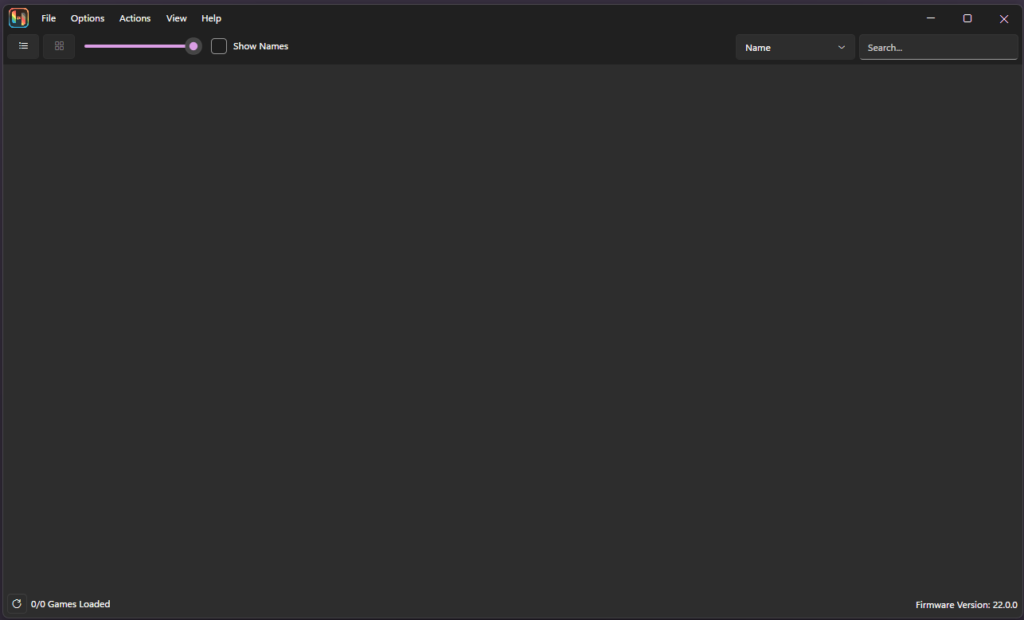
Step 2: Go to Tools Menu
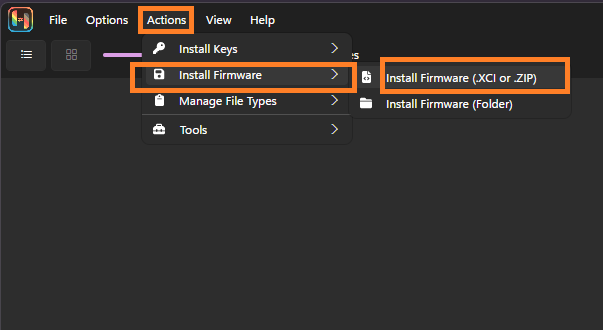
At the top menu bar, click on Tools. You’ll see the firmware installation options here.
Step 3: Select Install Firmware
Click on:
Install Firmware → Install a firmware from XCI/ZIP
Step 4: Choose Firmware File
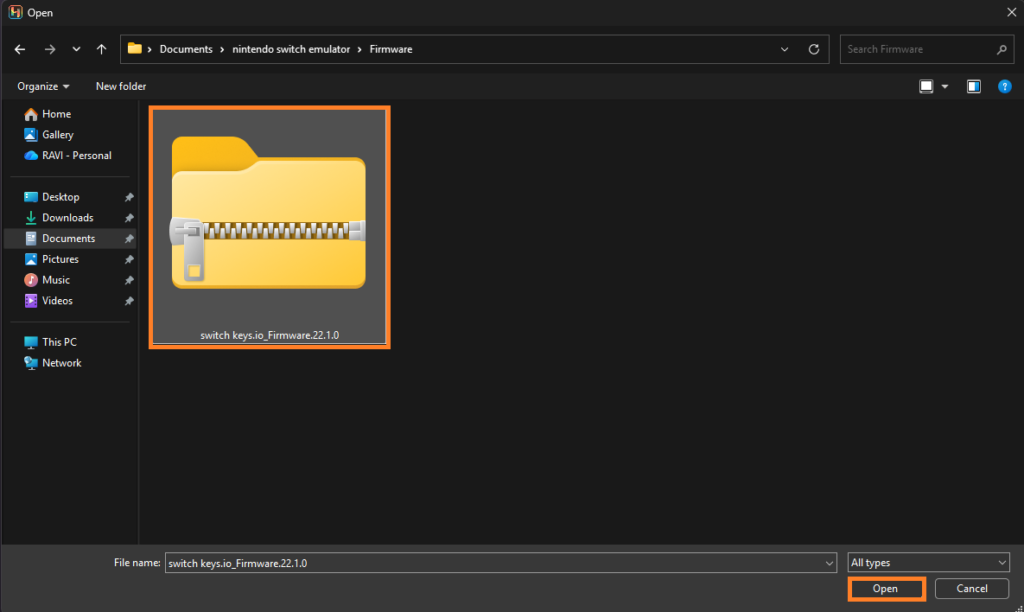
Browse your system and select the firmware file you downloaded earlier.
Step 5: Start Installation
Click Open, and Ryujinx will begin installing automatically.
You don’t need to extract the file manually—the emulator handles everything.
Step 6: Wait for Completion
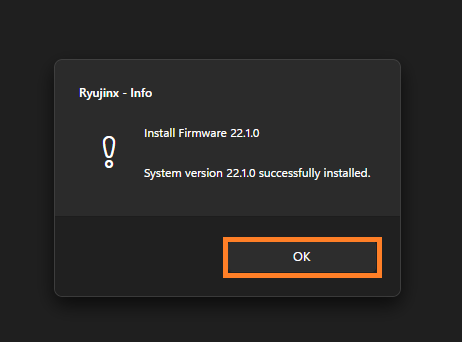
Once the process finishes, you’ll see a confirmation message. After that, restart Ryujinx to apply changes.
Common Errors and Fixes
From experience, here are some common problems users face:
Firmware Not Detected
This usually happens when the file format is incorrect or corrupted. Try downloading the firmware again and reinstalling.
“Missing Keys” Error
Firmware alone is not enough. You also need the correct prod keys placed in the Ryujinx keys folder.
Installation Failed
Make sure you’re selecting the correct file type (.zip or .xci) and that your emulator is updated.
Ryujinx Ryu-0003 Firmware Parsing Error
The “Ryu-0003 Firmware Parsing Error” in Ryujinx usually happens when the firmware file is corrupted, incomplete, or in an unsupported format. To fix it, you need to use a clean firmware file in the correct format and reinstall it properly.
Games Still Not Working
Sometimes the firmware version is too old for the game. Updating to a newer firmware usually fixes this.
Best Practices for Firmware Setup
Always keep your firmware updated, especially when trying new games. Developers design games based on newer system versions, so outdated firmware can cause compatibility issues.
Also, avoid mixing files from different sources. Keep your firmware and keys consistent. This reduces the chances of errors and saves troubleshooting time.
Finally, don’t rush the setup. Take a minute to verify each step—it prevents bigger issues later.
Final Thoughts
Installing firmware in Ryujinx is not complicated once you understand the process. Most problems users face come from missing files or incorrect setup, not the emulator itself.
Follow the steps carefully, keep your files updated, and you’ll have a stable setup that runs games smoothly. If something doesn’t work, it’s usually a small issue that can be fixed quickly with the right approach.
